Log in to Freesound

Problems logging in?
Don't have an account? Join now

Problems logging in?

Enter your email or username below and we'll send you a link to help you login into your account.

Back to log in

Almost there!

We've sent a verification link by email

Didn't receive the email? Check your Spam folder, it may have been caught by a filter. If you still don't see it, you can resend the verification email.

Default title

  • Sounds
  • Tags
  • Forum
  • Map
    • Sounds
    • Packs
    • Forum
    • Map
    • Tags
    • Random sound
    • Charts
    • Donate
    • Help

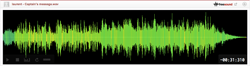
Depthcharge - Warning, Incoming Message

Overall rating (5 ratings)
L
liquidhot

January 8th, 2015

Follow
Speech > Processed / Synthetic
Depth Charge - Mobile Phone Sounds

Robotic computer voice saying - "Warning, Incoming Message". Recorded on a Plantronics Gamecom Headset Mic, used Goldwave to edit.

Sound illegal or offensive? Flag it!
alerts
cell-phone
computer
messaging
mobile
phone
ringtones
robot
scifi
space
spaceship
text
txt

Type

Wave (.wav)

Duration

0:02.551

File size

439.5 KB

Sample rate

44100.0 Hz

Bit depth

16 bit

Channels

Stereo

Comments
Please log in to comment
L
liquidhot

7 years, 4 months ago

seletotsira2012, I used Goldwave to achieve the effect (which can be downloaded with a free trial), here are the steps:

Record your phrase in a stable monotone voice. You can modify the tone a little, but the idea is that it's a robot, so keep it pretty dry.

Then in Goldwave, open the sound file. Run it through a noise filter to remove background noise and get a clean file, also sometimes gives it a nice tinny sound that comes through in the end file.

After that, there is a function called Mechanize that will let you modify the voice to sound like a Star Wars robot, at least that's the preset I started with. Then just play with the options until you get a sound you like. If it's not coming out deep enough just lower the pitch in Goldwave.

Once you've done that you may want to make it a little faster because it usually extends your voice. Just make sure to check the "preserve pitch" box so that your voice doesn't rise in pitch.

S
seletotsira2012

7 years, 4 months ago

Super cool, how did you do it?

C
cyclotron

9 years, 2 months ago

Warning. This is good!
  1. 398 downloads
  2. 3 comments
Attribution 3.0
You are free to share (to copy, distribute and transmit) and to remix (to adapt and modify) as long as you credit the author of the sound. Get attribution text...
Login to download
Share url:
920 x 245
Embed example, large size
481 x 86
Embed example, medium size
375 x 30
Embed example, small size
About Freesound Terms of use Privacy Cookies Developers Help Donations Blog Freesound Labs Get your t-shirt!
© 2026 Universitat Pompeu Fabra

