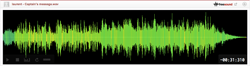
HOW TO MAKE THIS EFFECT:
1. Open a sound in editor (e.g. Audacity)
2. Clone it
3. Take a original or a copy and change the rate (both speed and height) up - use full octaves (@ Audacity: 100%, 300%, 700%, 1500%, 3100%, etc - it depends on basic length of the sound and just try, try, try ;-))
4. Change the rate back (@ Audacity: -50%, -75%, -87.5%, -93.75%, -96.875% etc)
5. Mirror the one vertically. Probably you know - if two sounds are the same, you won't hear anything. But after above changes, you have two similar and NOT same sounds.
5.5 ;-): After the mixmaking, you have that layer of sound which was lost before (when you'd been increasing the rate). Final result is always subtraction and this is our "deafen" piece.
6. Enjoy!
Type
Wave (.wav)
Duration
0:06.297
File size
542.5 KB
Sample rate
44100.0 Hz
Bit depth
16 bit
Channels
Mono
Comments
13 years, 5 months ago
@stomachache @qubodup
I don't use English version of Audacity so I was only guessing the names. I'm sorry about that.
Mirror vertically = invert the phase, yup. (See no. 5.)
http://audacity.sourceforge.net/manual-1.2/menu_effects.html
Read about the "Invert" option.
@qubodup
Clone: copy and paste as new track
Change rate (both speed and height): @ Audacity you have three basic modifies: "Change speed", "Change tempo" (without pitch) and "Change pitch" (without tempo).
You have to choice "Change speed".

13 years, 6 months ago
I tried following this but I wasn't sure how exactly to do:
Clone
Change rate (both speed and height)
Mirror vertically
My Audacity-fu is weak :|

13 years, 6 months ago
Very cool. I don't use Audacity - by "mirror", you are referring to phase inversion?

13 years, 6 months ago
And by the way - THANKS for sharing how this effect was achieved.
13 years, 6 months ago
Excellent !