Log in to Freesound

Problems logging in?
Don't have an account? Join now

Problems logging in?

Enter your email or username below and we'll send you a link to help you login into your account.

Back to log in

Almost there!

We've sent a verification link by email

Didn't receive the email? Check your Spam folder, it may have been caught by a filter. If you still don't see it, you can resend the verification email.

Default title

  • Sounds
  • Tags
  • Forum
  • Map
    • Sounds
    • Packs
    • Forum
    • Map
    • Tags
    • Random sound
    • Charts
    • Donate
    • Help

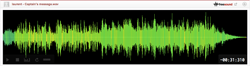
gain2.wav

Overall rating (13 ratings)
D
deleted_user...

November 19th, 2008

Follow
Music > Solo instrument

Created from a sample by pushtobreak - a lovely plucked string number.

Sound illegal or offensive? Flag it!
acoustic
beautiful
cascade
collage
experimental
granular
peice
plucked
processed
raw
sample
sitar
soothing
string

Type

Wave (.wav)

Duration

0:57.440

File size

9.7 MB

Sample rate

44100.0 Hz

Bit depth

16 bit

Channels

Stereo

Comments
Please log in to comment
JOHNWALLY

13 years, 2 months ago

beaut

D
deleted_user...

16 years, 4 months ago

Also, if your using a program like fruity loops, and you'd like to do something like that, just automate different controls of your granular vst, or whatever. So that the grains are shifting and moving. Doesn't need to be complicated. Have fun!

J
justinrobert

16 years, 5 months ago

now that is cool

D
deleted_user...

16 years, 10 months ago

Hi. Sorry Im not familiar with fl studio. I used a custom ensemble in Reaktor. Highly recommended for granular manipulation. Basically it had two clickable 2D panels. Each axis would change different properties of the granulation i.e. pitch, grain size, sample position.

For recording anything that goes through your sound card, just set your default windows audio input to the sound card mixer. Then record with any recording program. Whew, ok. im done.

V
vaperizer

16 years, 11 months ago

im wondering are you using the granulizer in fl studio and if so how are you recording it?
  1. 775 downloads
  2. 5 comments
Attribution 3.0
You are free to share (to copy, distribute and transmit) and to remix (to adapt and modify) as long as you credit the author of the sound. Get attribution text...
Login to download
Share url:
920 x 245
Embed example, large size
481 x 86
Embed example, medium size
375 x 30
Embed example, small size
About Freesound Terms of use Privacy Cookies Developers Help Donations Blog Freesound Labs Get your t-shirt!
© 2025 Universitat Pompeu Fabra

